Find coins
The top dog on the home page, and the terminal with every coin, live.
There are two places to find coins: the home page for a quick look, and the terminal for everything.
The top dog
The home page always shows the top dog: the coin on the curve that is closest to graduating.
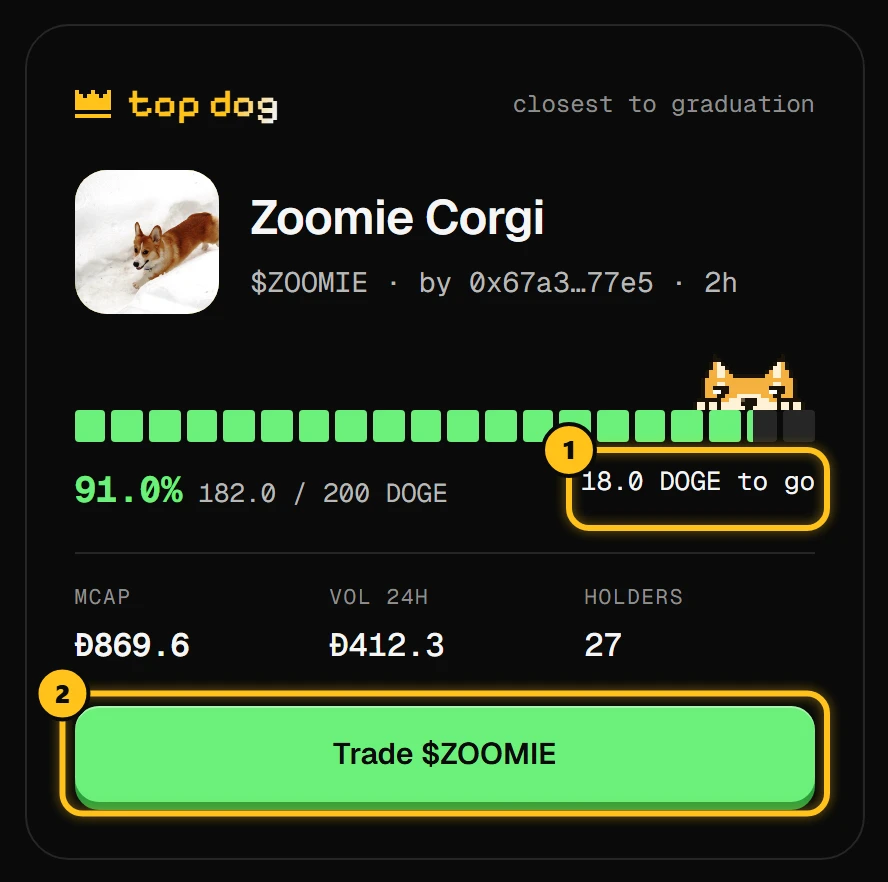
- 1How much DOGE is left before it graduates.
- 2Trade opens the coin's page.
The doge peeking over the bar sits at the coin's progress. Below the top dog, what's moving shows eight coins, sorted by trending, new, market cap or graduated.
The terminal
Click launches (or Open the terminal) for the full list, updated live.
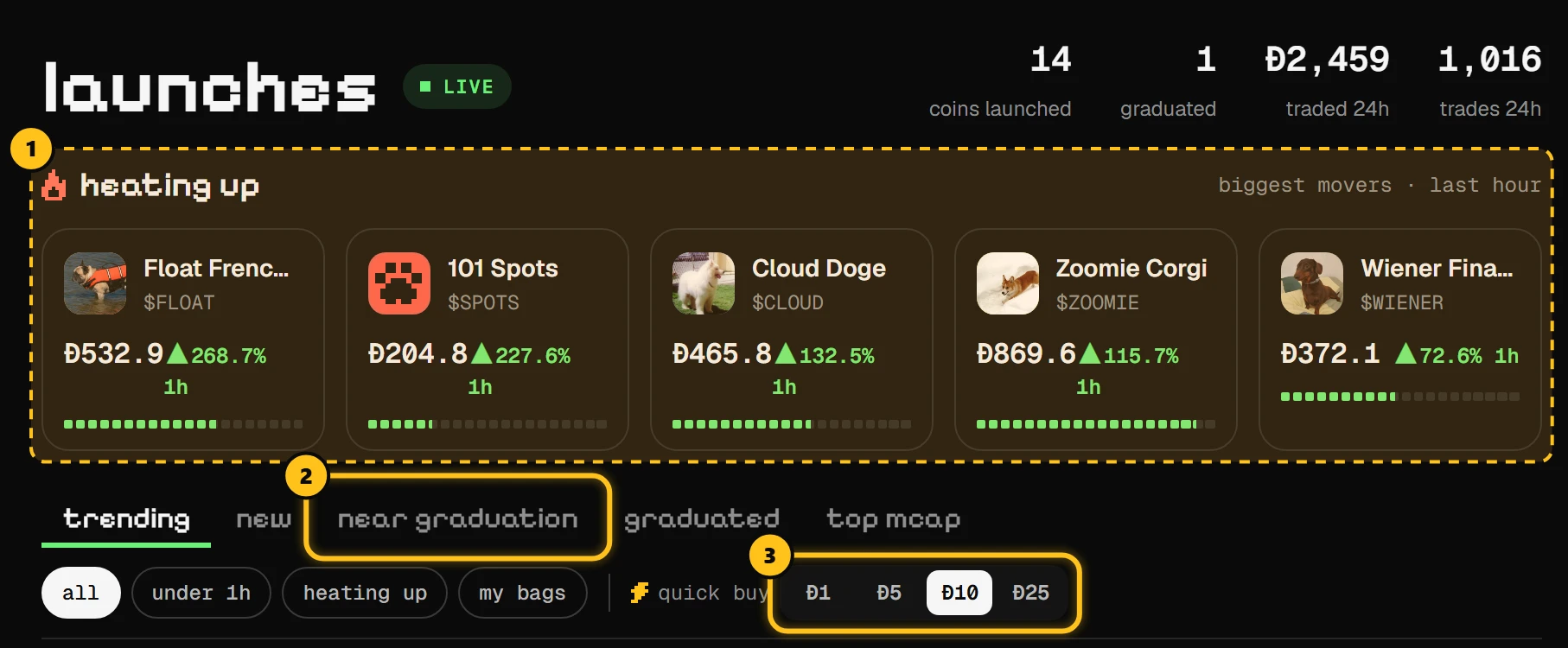
- 1heating up: the coins that moved most in the last hour.
- 2Tabs sort the list. near graduation puts the fullest curves first.
- 3quick buy: pick an amount once, then buy any coin in one click.
| Tab | Shows |
|---|---|
| trending | The coins traded most recently first |
| new | The latest launches first |
| near graduation | Curves closest to 200 DOGE |
| graduated | Coins trading in their own locked pool |
| top mcap | The biggest market caps |
The chips under the tabs narrow it down: under 1h (launched in the last hour), heating up (up 10% or more in the last hour) and my bags (coins you hold).
Reading the list
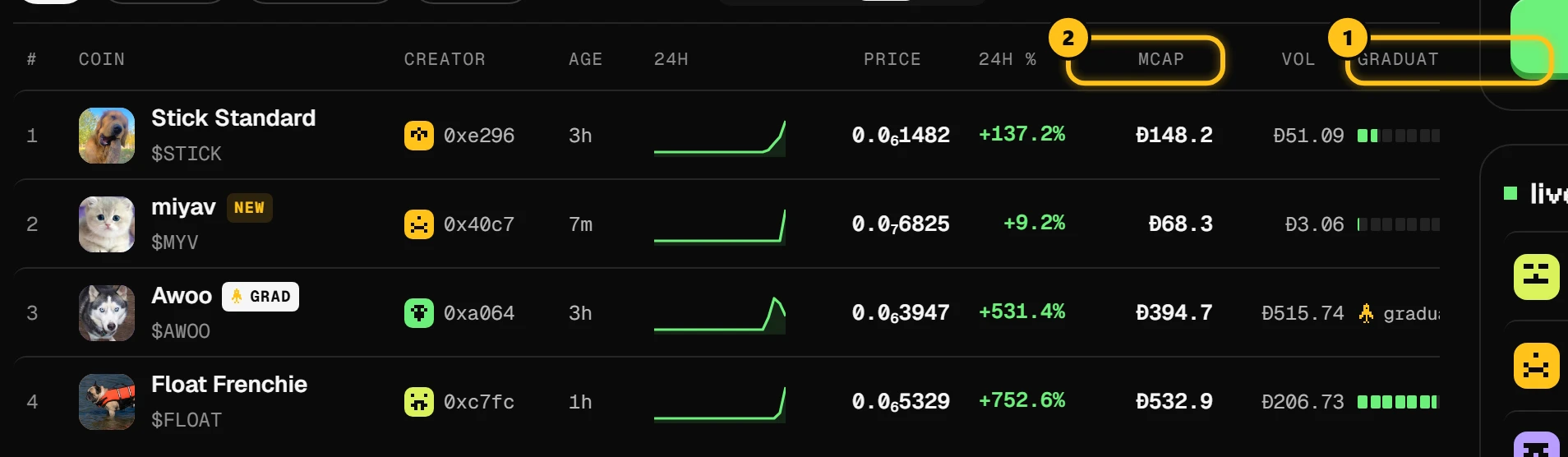
- 1GRADUATION: how full the curve is. A graduated coin shows a cap and LP locked instead.
- 2MCAP: market cap in DOGE, the price times the 1B supply.
Click a column title to sort by it. Click a coin to open its page.
Tiny prices
Prices like 0.0₇6250 are short for very small numbers: the little 7 means seven zeros after the point, so it reads 0.00000006250 DOGE.