Connect a wallet
Sign in with the wallet in your browser, a phone wallet over WalletConnect, or MyDoge.
Click Connect wallet in the top right corner. A small window opens with every way to sign in.
doggie.fun

doggie.fun
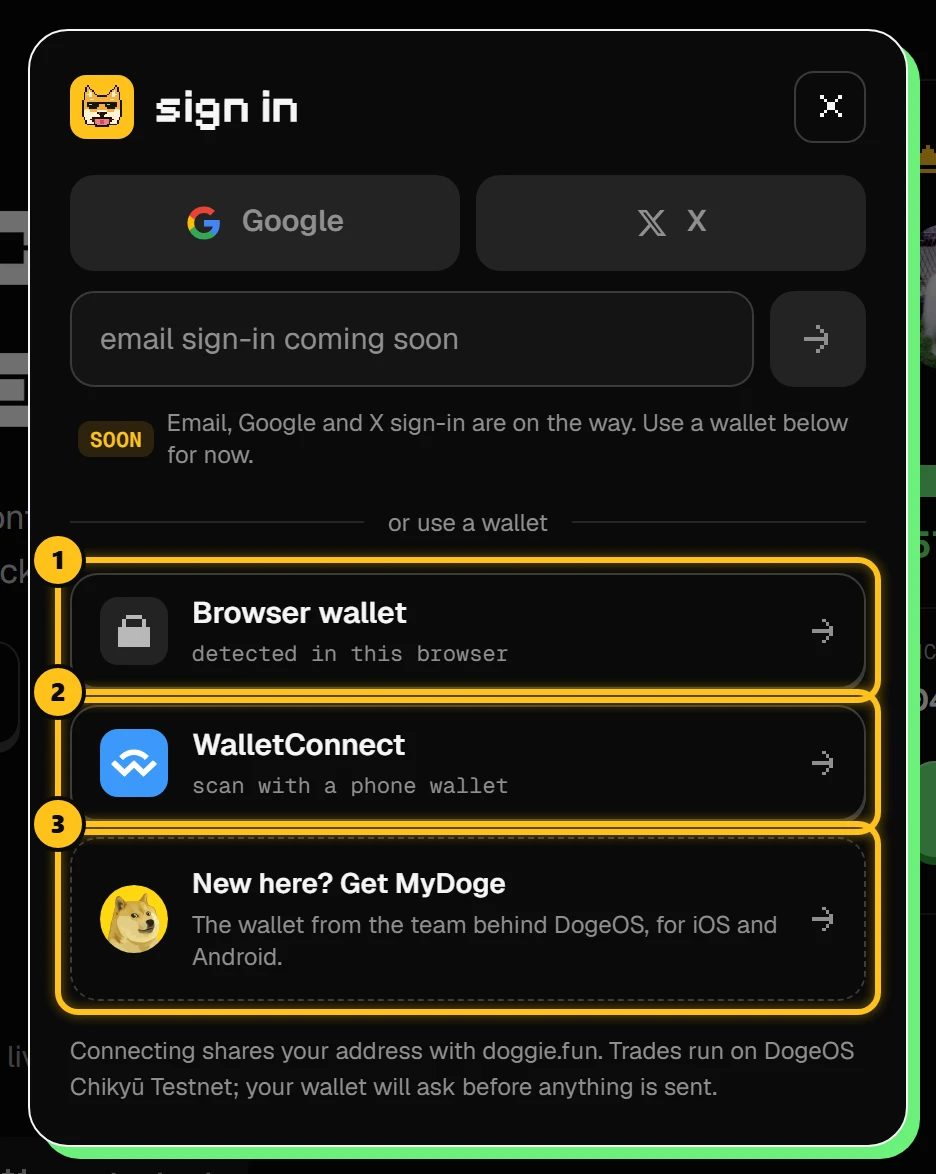
- 1Browser wallet: the wallet extension in this browser (MetaMask, Rabby…). Each one your browser has is listed.
- 2WalletConnect: scan a QR code with a wallet app on your phone.
- 3Get MyDoge: no wallet yet? MyDoge is made by the team behind DogeOS.
Pick your way in
- Click your wallet in the list.
- Your wallet opens and asks to connect. Approve it.
- If it asks to add or switch to DogeOS, approve that too.
When you're connected
The button turns into your address and your DOGE balance.
doggie.fun

- 1Your address and balance. Click it for the wallet menu.
doggie.fun
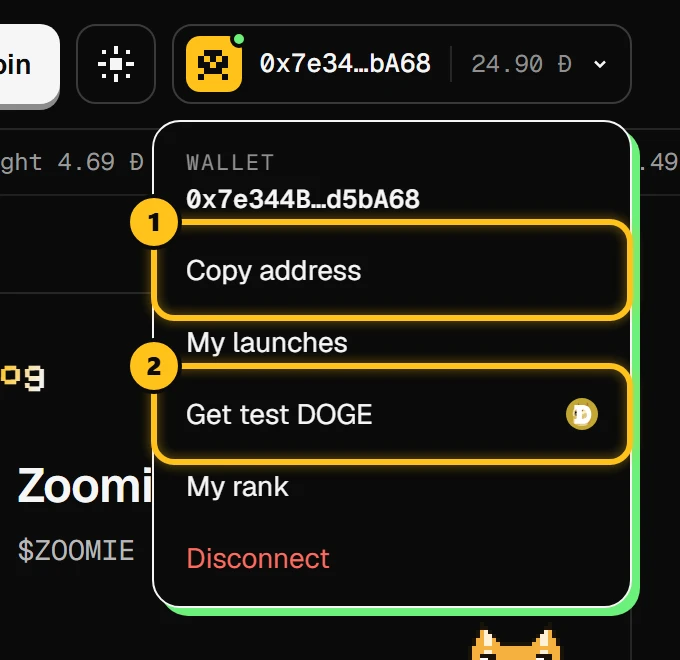
- 1Copy address: to receive DOGE or share it.
- 2Get test DOGE: the testnet faucet (Get DOGE).
My launches opens your coins and creator fees, My rank your place on the leaderboard, and Disconnect signs you out.
Wrong network?
If the header shows wrong network · switch, your wallet is on another network. Click it and approve the switch to DogeOS.