Launch a coin
Name it, pic it, launch it. One transaction, and your coin is trading on its curve.
Click Launch a coin in the header. The form has five parts and a live preview of your coin on the right. You can fill everything in before connecting a wallet; nothing is sent until you sign.
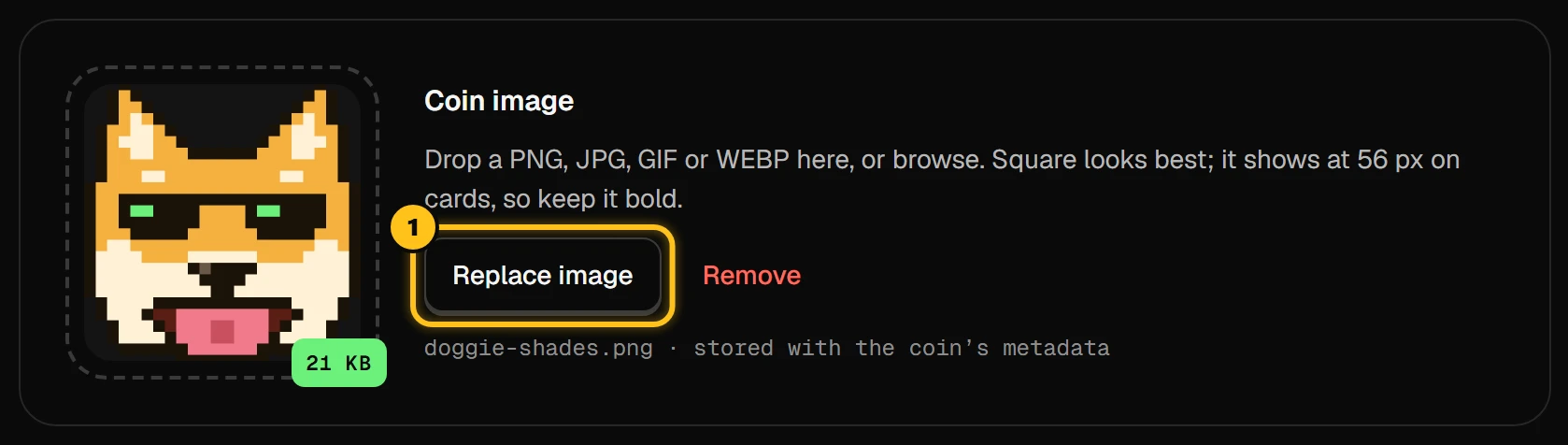
Add a picture
Drop a PNG, JPG, GIF or WEBP (up to 2 MB), or click Browse. Square works best. It shows small on cards, so keep it bold.
Name, symbol, description, links
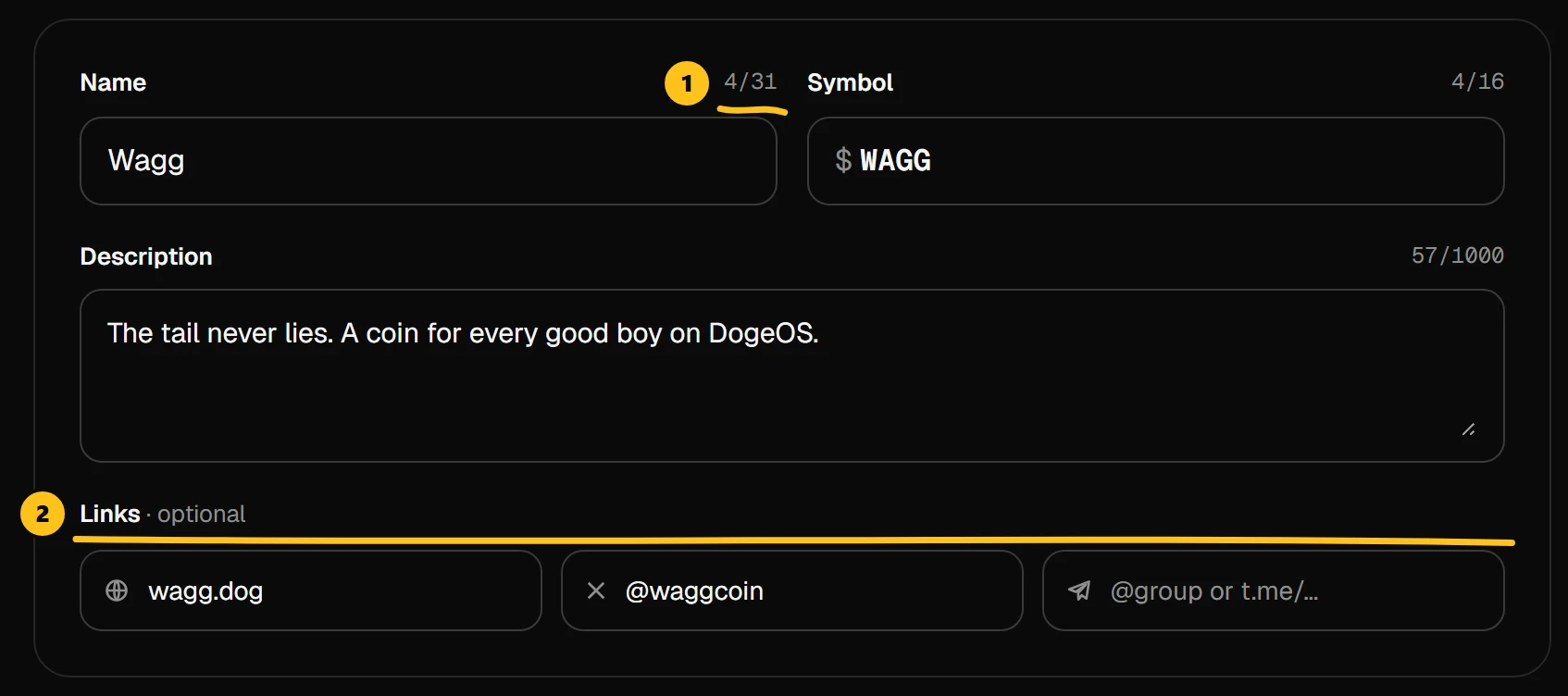
- 1Name up to 31 characters, symbol up to 16.
- 2Links are optional: a website, X and Telegram.
If another coin already uses your symbol, the form tells you. You can still launch, but buyers will need the contract address to find yours.

Choose your creator fee
Slide from 0% to 3%. You earn that share of every trade of your coin, buys and sells, on the curve and after graduation. Buyers pay it on top of the 1% platform fee.
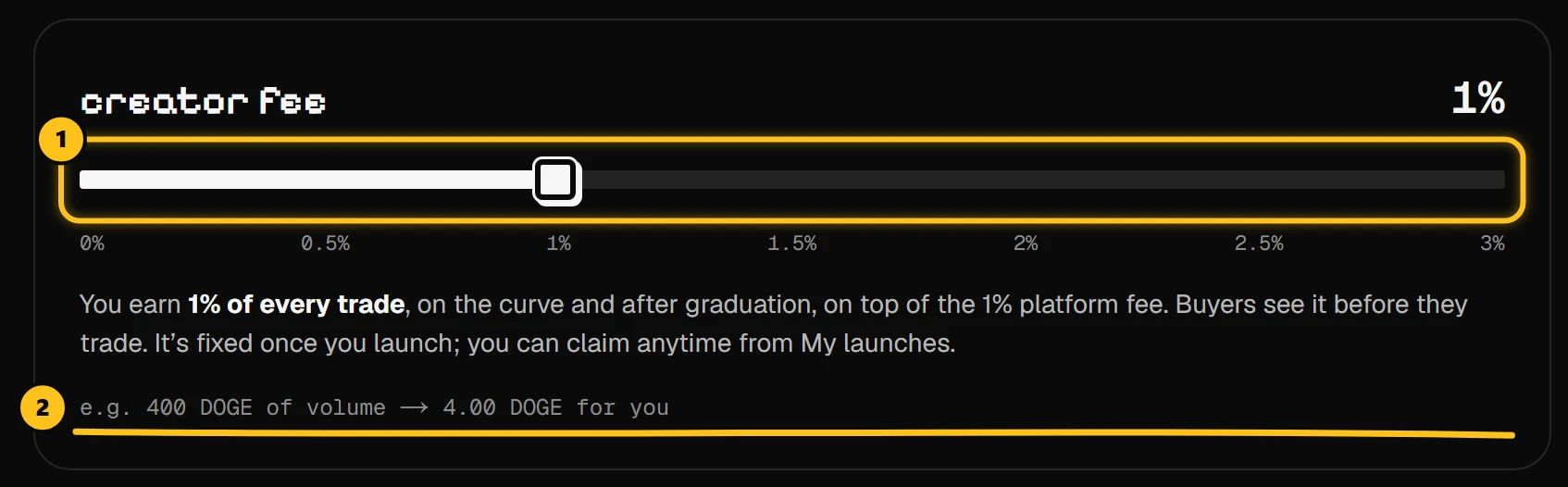
- 1Your creator fee, in steps of 0.25%.
- 2A quick example of what you'd earn.
A higher fee earns more per trade, but buyers see it and some prefer cheaper coins. See what a creator earns.
Buy first, if you want
Turn on first buy to buy your own coin inside the launch transaction, before anyone else can.
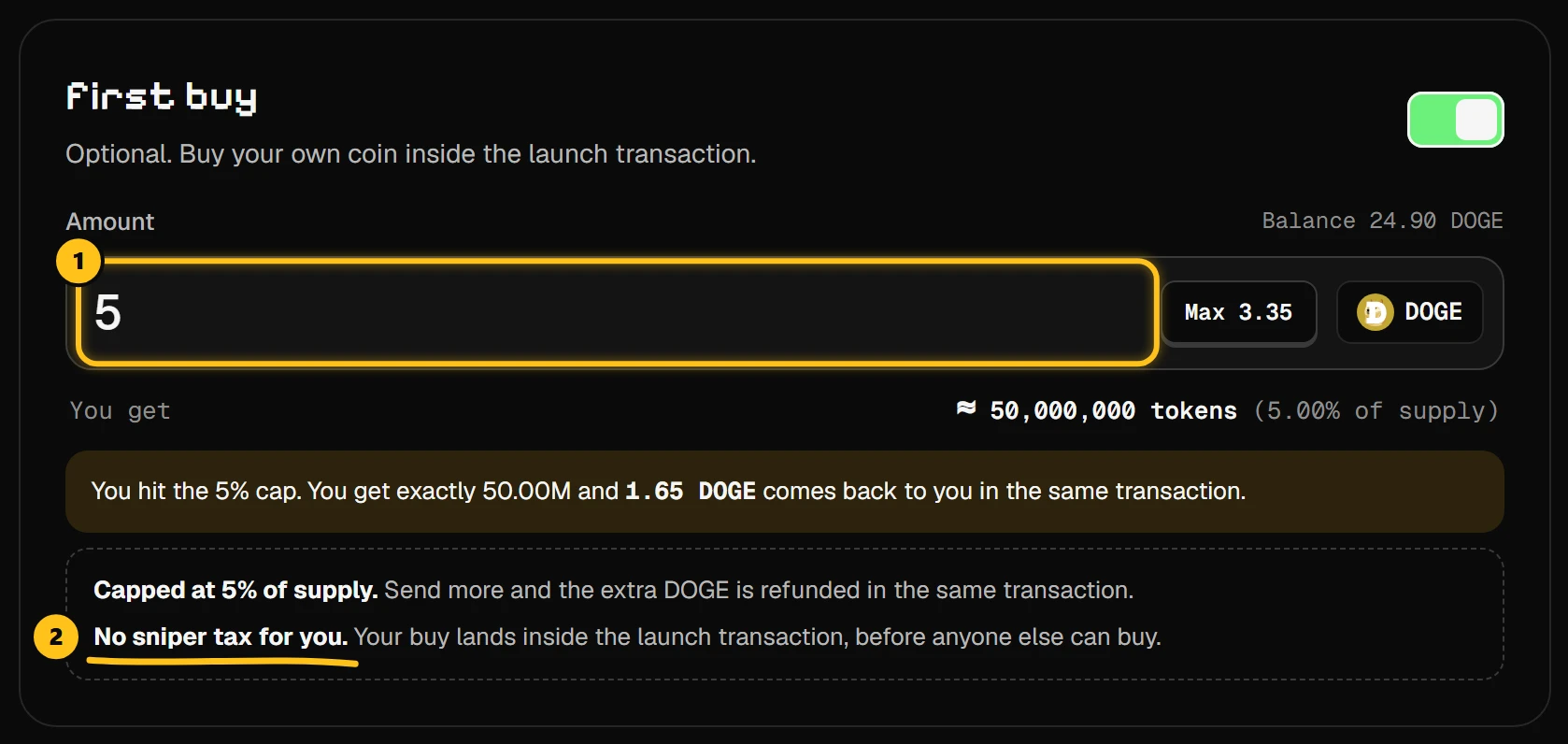
- 1How much DOGE to spend on your own coin.
- 2No sniper tax on your first buy.
The first buy is capped at 5% of the supply (50M tokens). Send more and the extra DOGE comes straight back. Everyone sees this buy on the chart, marked as the creator's.
Check the total and launch
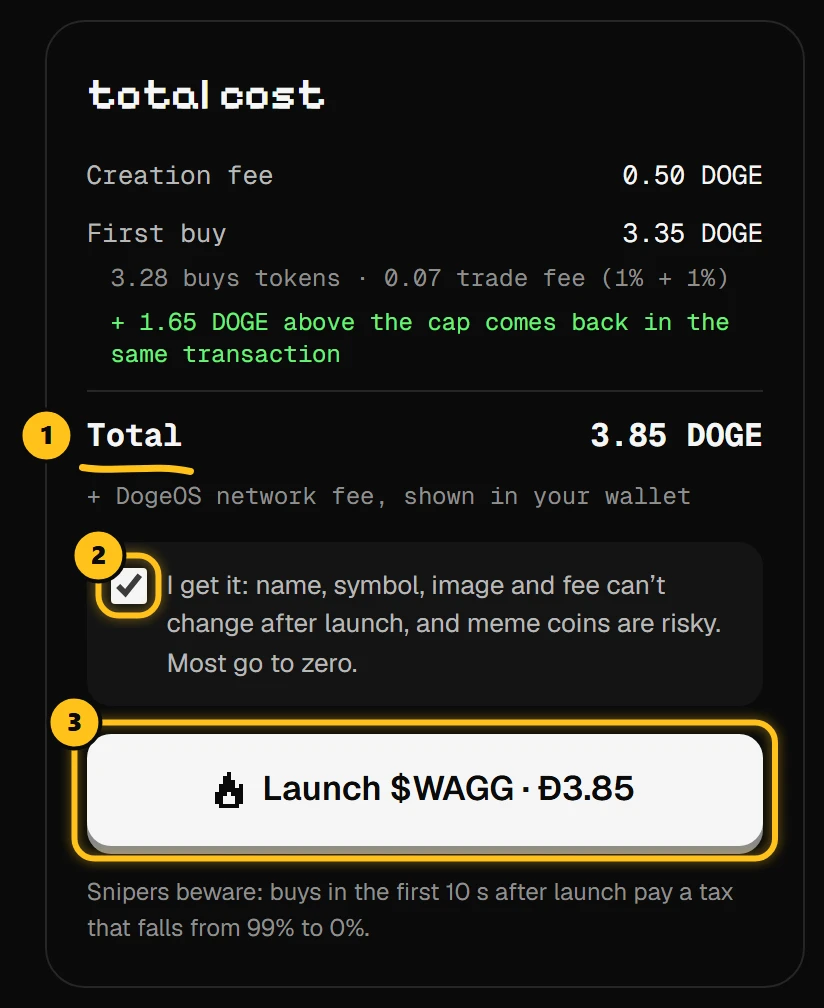
- 1Everything you pay: the creation fee plus your first buy.
- 2Tick the box: what you launch can't be changed.
- 3Launch, and approve in your wallet.
The image and details are saved first (pinning image & metadata), then your wallet asks you to confirm. A few seconds later: launched. wow. and you land on your coin's page.
What you see while you type
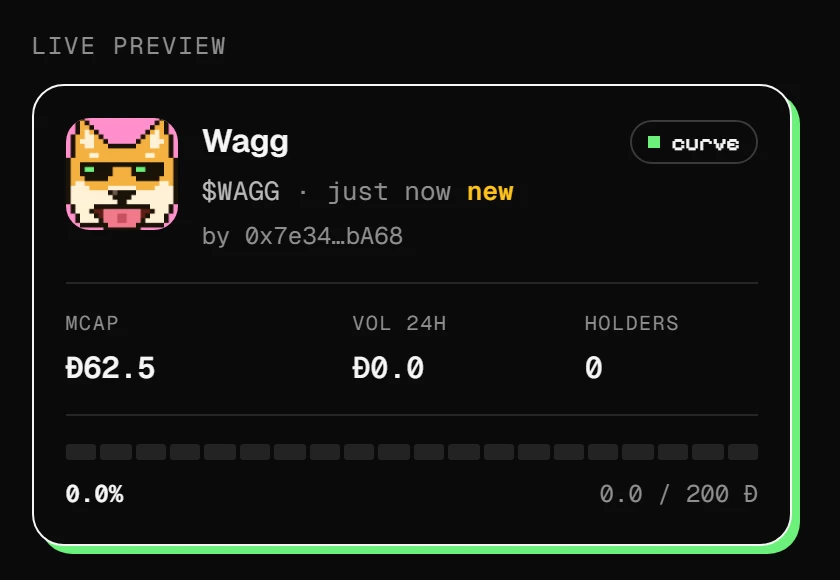
The preview is your coin's card, exactly as traders will see it. Every coin starts at a market cap of 62.5 DOGE and 0% on the road to graduation.
After launch
- Your coin is live on the curve right away. Share its page:
doggie.fun/t/plus its address. - For the first 10 seconds buyers pay the sniper tax.
- Your fees collect in My launches. Claim them whenever you like.