
The coin page
Everything about one coin, its chart, its trades, its holders and how it works.
Every coin has its own page at doggie.fun/t/ followed by its contract address. Here is what's on it, top to bottom.
The header
doggie.fun/t/0xd571…8e5b
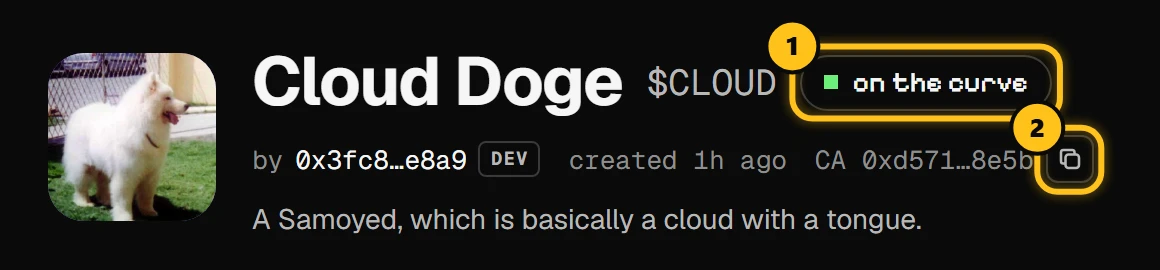
- 1Where the coin is: on the curve, sold out or graduated.
- 2Copy the contract address (CA), the coin's true identity.
Next to the name: the creator's address (marked DEV), the coin's age, and on the right its price and market cap in DOGE.
The chart
doggie.fun/t/0xd571…8e5b
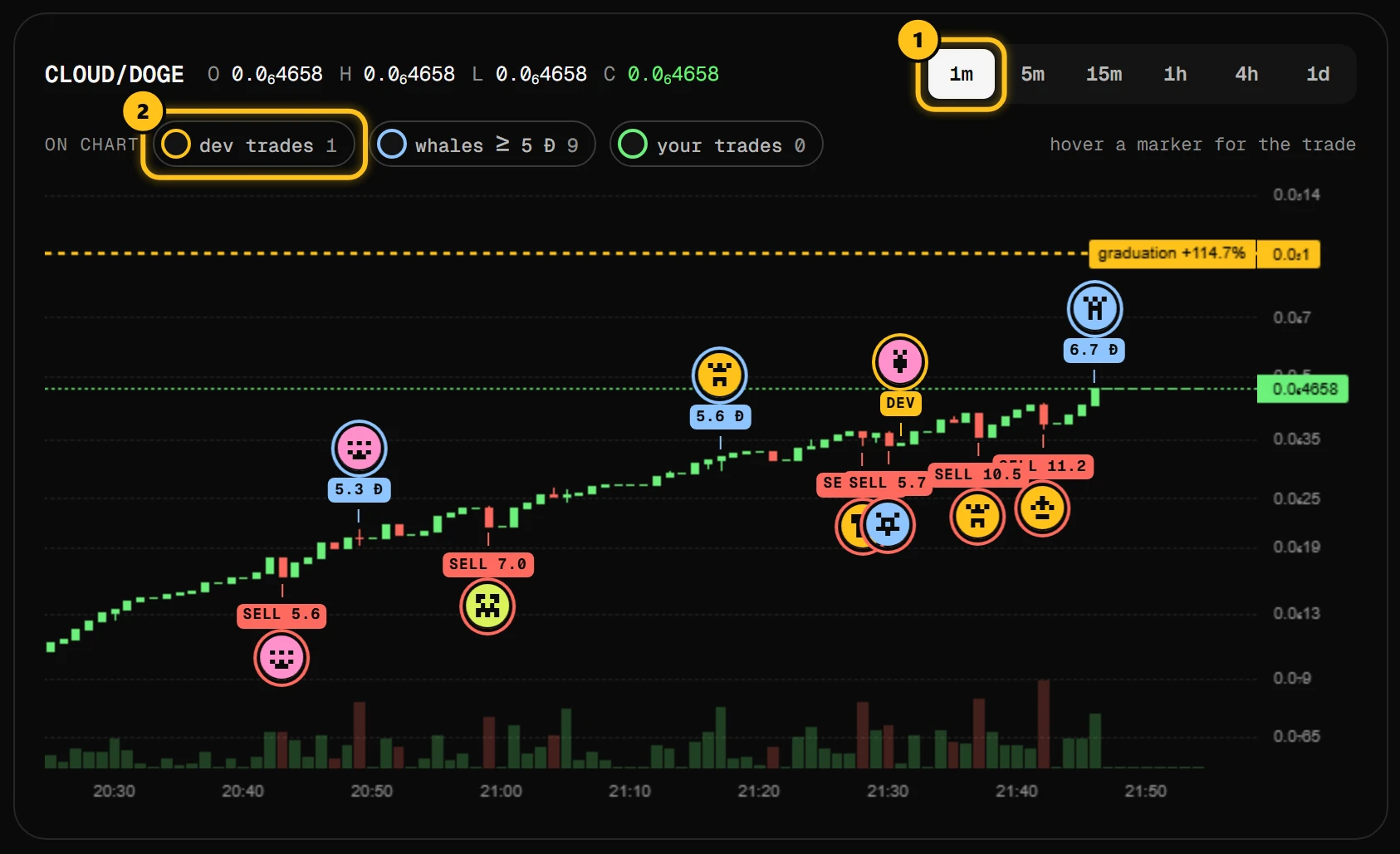
- 1Candle size, from one minute to one day.
- 2Markers on the chart: the creator's trades, whales and your own trades.
- The gold dashed line is the graduation price, with how far away it is.
- dev trades (gold) show when the creator bought or sold. Watch these.
- whales (blue) are trades of 5 DOGE or more.
- your trades (green) appear when your wallet is connected.
Hover a marker to see that trade.
Trades, holders, about
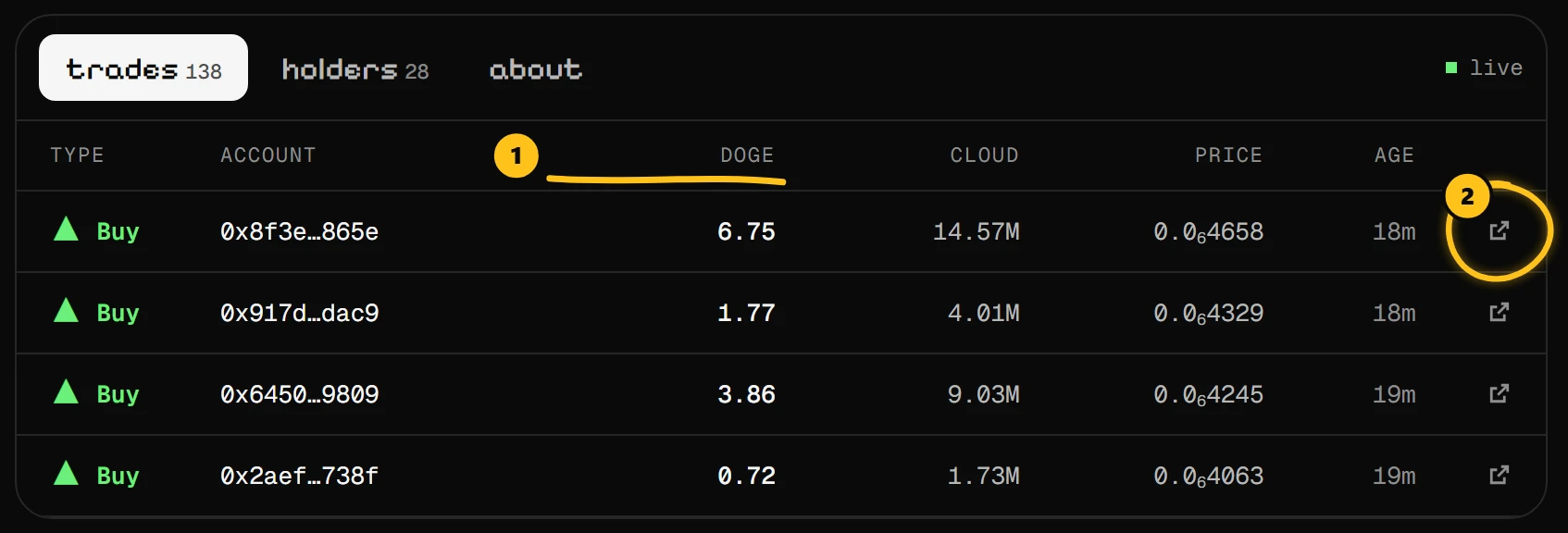
- 1Every buy and sell, newest first, with the DOGE it moved. The creator's own trades carry a DEV tag.
- 2Open the transaction on the explorer.
Stats
doggie.fun/t/0xd571…8e5b
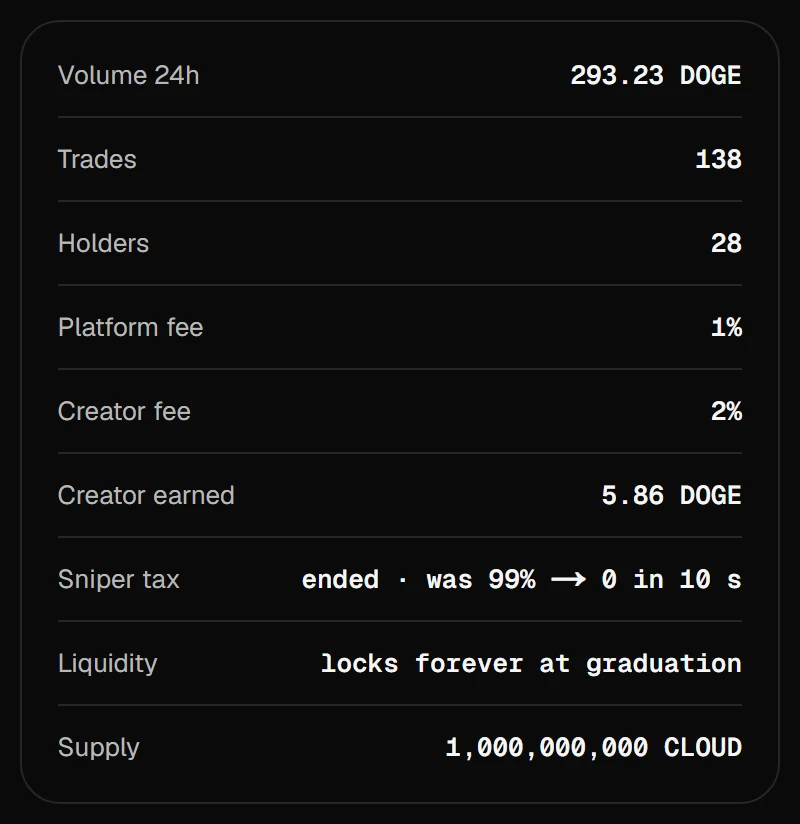
Creator fee and Sniper tax are this coin's own terms, fixed at launch. Creator earned is what the creator has made so far. Liquidity says whether it is already locked in a pool, or will be at graduation.
The trade panel sits on the right. Buy and sell